

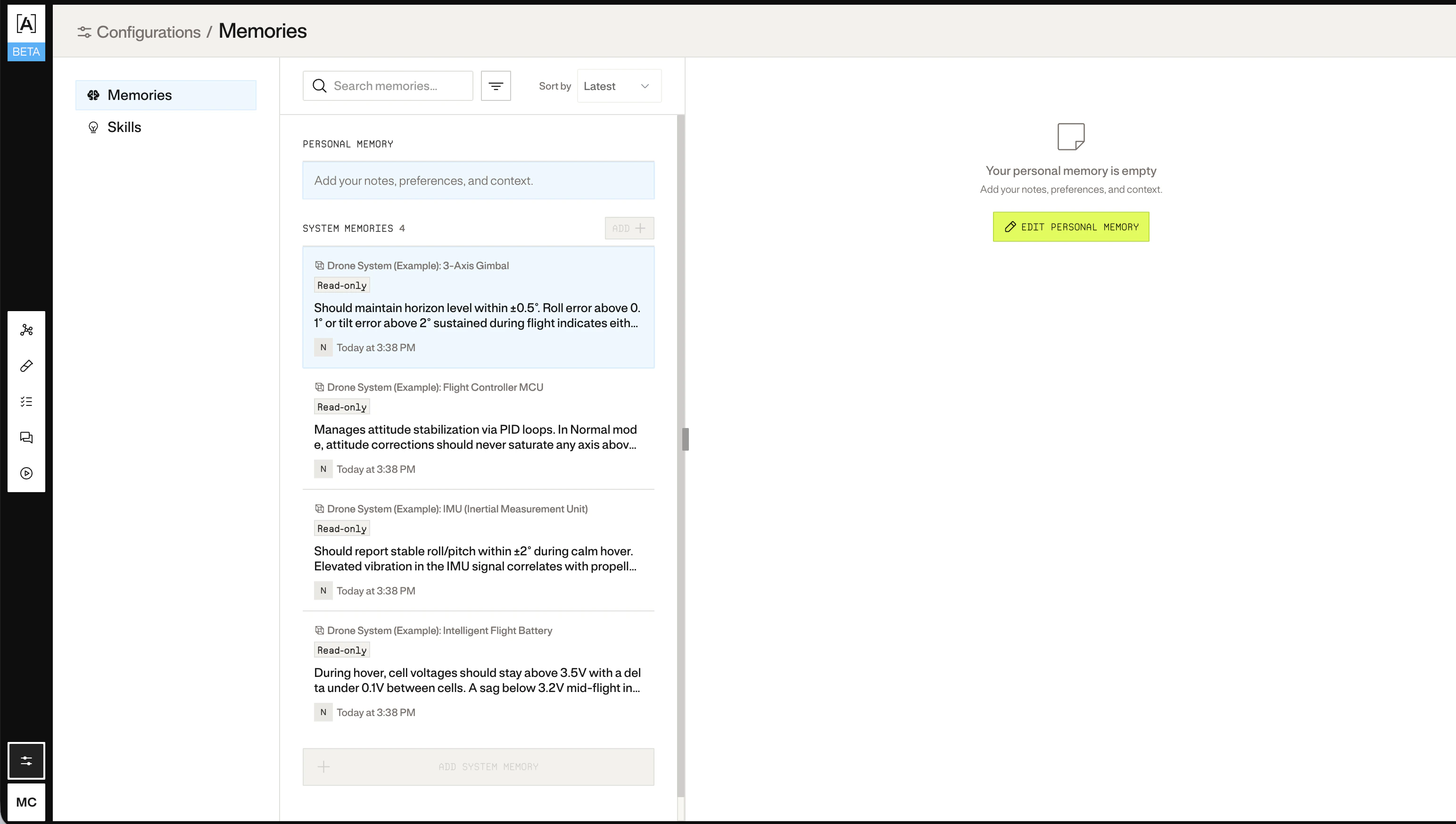
Memories and skills configuration

Adding a personal skill

A personal skill is scoped to your account. It defines a procedure or analytical framework Atlas will follow when you invoke it.
curl -X POST "https://spacex.atlas.arenaphysica.com/api/v1/skills" \
  -H "Authorization: Bearer $ATLAS_TOKEN" \
  -H "Content-Type: application/json" \
  -d '{
    "name": "power-budget-analysis",
    "description": "Standard procedure for analyzing power budget violations.",
    "scope": "user",
    "power_command": "power-budget-analysis",
    "instructions": "When analyzing power issues:\n1. Check rail voltages against nominal spec.\n2. Identify load contributors sorted by draw.\n3. Flag any component exceeding 90% of its rated power.\n4. Check for inrush at startup."
  }'
Save the uuid from the response:
export SKILL_ID="<uuid from response>"
Field reference:
FieldDescription
nameKebab-case identifier, max 64 characters
descriptionWhat the skill does, max 1024 characters
scopeuser for personal, global for org-wide
power_commandThe slash-command name Atlas will recognize (no leading slash)
instructionsThe procedure Atlas follows when this skill is active
To update a skill later:
curl -X PATCH "https://spacex.atlas.arenaphysica.com/api/v1/skills/$SKILL_ID" \
  -H "Authorization: Bearer $ATLAS_TOKEN" \
  -H "Content-Type: application/json" \
  -d '{"instructions": "<updated instructions>"}'

Adding a system memory

System memories are domain knowledge attached to entities in the metagraph: behavioral quirks, design decisions, known failure modes. Atlas draws on these when reasoning about the system. To add a memory to an entity, you need the system ID and entity ID. You can look up entity IDs from the metagraph:
curl "https://spacex.atlas.arenaphysica.com/api/v1/systems/$SYSTEM_ID/entities" \
  -H "Authorization: Bearer $ATLAS_TOKEN"
Then write the memory:
curl -X PUT "https://spacex.atlas.arenaphysica.com/api/v1/systems/$SYSTEM_ID/entities/<entity_id>/memories" \
  -H "Authorization: Bearer $ATLAS_TOKEN" \
  -H "Content-Type: application/json" \
  -d '{
    "content": "Known temperature sensitivity above 85°C. Readings drift ~0.5 deg/s per degree above threshold. Compensate in firmware."
  }'
Memory writes are versioned. You can view history and restore a previous version:
# View history
curl "https://spacex.atlas.arenaphysica.com/api/v1/systems/$SYSTEM_ID/entities/<entity_id>/memories/history" \
  -H "Authorization: Bearer $ATLAS_TOKEN"

# Restore a previous version
curl -X POST "https://spacex.atlas.arenaphysica.com/api/v1/systems/$SYSTEM_ID/entities/<entity_id>/memories/restore" \
  -H "Authorization: Bearer $ATLAS_TOKEN" \
  -H "Content-Type: application/json" \
  -d '{"version": <version_number>}'